Black Friday 2026 Readiness Checklist for Service and Lead-Gen Businesses

- Black Friday Fri, Nov 27, 2026
- Cyber Monday Mon, Nov 30, 2026
- 30 checks in 5 rounds
The ad side of things is the one that most businesses intuitively look at when we talk marketing, but Black Friday doesn't start there. It starts first with the strategy and how you want to go about the special deal that you are planning to offer. That's ground zero: the non-negotiable and probably even most important step that I urge you to take before anything else.
Once you have the foundation, the second step, again before we touch the ads, is the offer itself. The offer itself is the landing page: how you explain the offer, how you position it, how you provide reasons for people to engage. And the reason for that is people don't buy from ads. They buy on your website. They buy on the landing page that you create.
Then there is an extra step, and we are still not touching the ads. If you decided to build a new landing page for that special offer, make sure that all of the tracking events that you want to optimize for, be it form signups, be it phone calls, work as well as on the other parts of your website, and there are no gaps. So when you launch ad campaigns, the bidding algorithm can learn and deliver more of what you want to optimize towards.
Once we cover all that, now it's time to think about the ads, and the ads become the simplest step. When you have a landing page, an offer built and a clear, compelling message that you want to deliver, then you decide on the formats. And I would use all of them: text, static images, carousels, and short, medium and longer videos.
How to use this: work through one round at a time, tick each box when it is done, and hand the “How” line to whoever runs your ads when a step is not yours.
Set up what takes time
Tracking, follow-up and the offer itself. These take the longest to settle, so start here.
-
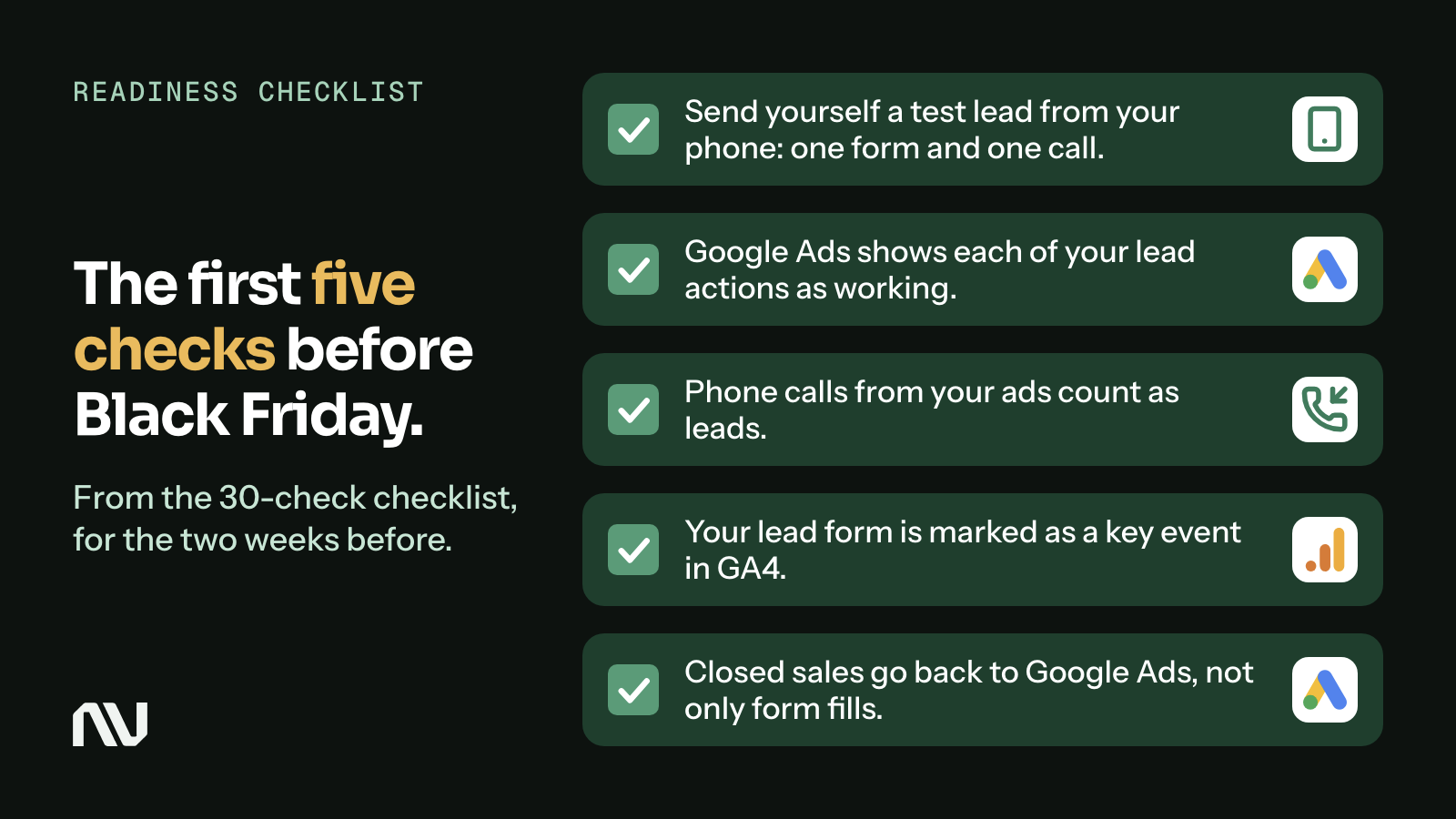
1Send yourself a test lead from your phone: one form and one call.
Why: A broken form or a dead phone line loses every lead of the peak, and nothing warns you.
How: On your phone, fill in your own website form and call the number on your site. Check that the lead lands in your inbox or CRM, that a person gets notified, and how long it took.
-
2Google Ads shows each of your lead actions as working.
Why: If Google Ads cannot see your leads, its bidding has no lead signal to learn from.
How: Google Ads: Goals, then Summary. Read the Status column for each lead action. “Misconfigured” means conversions have stopped. “Awaiting conversions” means none in the last 7 days. Google says some of these statuses are still rolling out and may not show in your account yet.[1]
-
3Phone calls from your ads count as leads.
Why: Many service buyers call instead of filling in a form. Calls you do not count make good ads look bad.
How: Google Ads: Campaigns, then Assets, then the plus button, then Call. Turn on call reporting in your account, so calls count as conversions. Google says new calls then count in a default conversion action named “Calls from ads” (its call asset page writes “Call from ads”), and you can set your own action instead. For calls from your website, set a minimum call length, so short calls do not count.[2][3][4]
-
4Your lead form is marked as a key event in GA4.
Why: Then GA4 shows which channel brought each lead, not only which one brought visits.
How: GA4: Admin, then Data display, then Events. Click the star next to your form event. Allow up to 24 hours before it shows in standard reports.[5]
-
5Closed sales go back to Google Ads, not only form fills.
Why: A form fill is a guess. A sale tells the bidding which searches bring paying clients.
How: Ask whoever runs your ads if enhanced conversions for leads (or offline conversion import) is on. It sends the hashed email or phone number from your form; later you import the leads that became customers. Google does not import a sale uploaded more than 63 days after the click with enhanced conversions for leads, or 90 days with standard offline import. Google says enhanced conversions for web and for leads are being combined into one on/off setting, so your account may show one enhanced conversions setting instead of two.[6][7]
-
6Meta leads reach your team the minute they arrive.
Why: Meta keeps instant form leads for 90 days only, and a lead that sits in Meta goes cold.
How: Connect your CRM to Meta. If you download by hand: Ads Manager, the Ads tab, then click “On-Facebook leads” in the results column. If you use the qualified leads goal, Meta recommends a CRM connection, so you can send Meta what happened to each lead.[8][9][10]
-
7You know your normal numbers, including how many leads became customers.
Why: Without the four weeks before, you cannot tell if the peak brought better leads or only more of them.
How: From your CRM or booking system, write down for the last 4 weeks: leads per week by source, cost per lead, and how many leads booked or bought.
Example: Sunrun (its Sacramento and San Diego markets). Its “2025 $50 Black Friday Sit For Solar Offer” paid invited homeowners who “complete a qualified Sunrun Solar in-home sales consultation”: it counted meetings, not forms. Sunrun offer terms; the page states a promotional period of Nov 14 to 30, 2024; opened Mon, Nov 9, 2026.
-
8Your offer adds value without cutting your service price.
Why: A discount on your core service can reset what clients expect to pay next time.
How: Pick one: a gift card with a bonus that works only in your slow months; a bundle of visits; a booking window; or an add-on with a booked service. Write the offer in one sentence.
Example: SDBotox (San Diego). Sold gift cards with bonus cards “valid from January 1, 2026 through May 31, 2026”. SDBotox Black Friday and Cyber Monday page; sale Nov 24 to Dec 1, 2025; opened Mon, Nov 9, 2026.
-
9The terms are written down in plain words.
Why: Clear rules stop arguments later and give your sales team a reason to close now.
How: Write the start and end, who qualifies, the cap, the last day to book or use it, and the refund rule. Use the same terms on the page, in the ads and in the Google Business Profile post.
Example: HarborChase of Tamarac (Florida). “New residents only. Must take financial possession by 11/30/25. December rent due at signing.” HarborChase event page; offer Nov 28 to 30, 2025; opened Mon, Nov 9, 2026.
-
10You set a cap that your team can really deliver.
Why: A cap protects your calendar, and a true cap is an honest reason to book early.
How: Count the jobs or appointments you can add in December and January, person by person. Set the cap below that number.
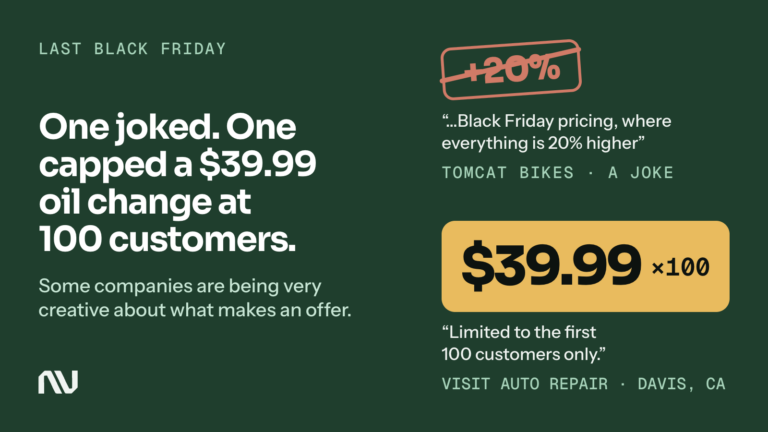
Example: Visit Auto Repair (Davis, California). “Limited to the first 100 customers only.” Visit Auto Repair’s Google Business Profile offer post, Nov 28, 2025; opened Mon, Nov 9, 2026.
Build it and get it approved
Ads, the offer post, hours and forms. Everything goes in for review by Monday.
-
11New ads are submitted by Mon, Nov 23.
Why: Ads are reviewed before they run, and a late rejection eats your best days.
How: Google says most ads are reviewed within one business day, and to submit several days ahead if you need a start date. Meta says most ads are reviewed within 24 hours, sometimes longer, that ads may be reviewed again after they are live, and that you can schedule an ad to start later.[11][12]
-
12Your Google Ads carry a Black Friday promotion asset, if your offer has a dollar or percent value.
Why: The occasion shows as a bold label next to your offer text, so searchers see the offer first.
How: Google Ads: Campaigns, then Assets, then the plus button, then Promotion. Pick the Black Friday or Cyber Monday occasion (Google runs both from Oct 15 to Dec 15) and narrow the dates to your offer. The asset shows a dollar or percent discount, so if your offer is a gift card bonus, a bundle or an add-on with no such value (check 8), skip this check.[13]
-
13The offer is a scheduled Offer post on your Google Business Profile.
Why: People who find you on Google Search and Maps see the offer and its dates.
How: Business Profile: Posts, then Add post, then Offer. It needs a title, dates and times; you can add the terms and a link. Turn on “Schedule this post”. Google says a post with a phone number in its description might be rejected if Google cannot verify that the number belongs to your business.[14]
Example: Visit Auto Repair. Ran its whole Black Friday offer (check 10) as a post on its own profile. Google Business Profile post dated Nov 28, 2025; opened Mon, Nov 9, 2026.
-
14Holiday hours are set for Thanksgiving and the long weekend.
Why: Wrong hours on Google send callers to a closed door on your busiest days.
How: Business Profile: Edit profile, then Hours, then Special hours. Google suggests you confirm holiday hours even when they stay the same.[15]
-
15Your ads reach only people you can serve.
Why: By default, Google Ads location targeting also reaches people who only show interest in your area, which can bring leads from outside it. Google calls this default, “Presence or Interest”, its recommended option, and says most campaigns get fewer impressions after they switch away from it.
How: Ask whoever runs your ads to show you the location options in each campaign’s settings. If you serve only people who live or work in your area, Google says to consider “Presence”: people in or regularly in your targeted locations.[16]
-
16Your call button shows only when someone can answer.
Why: A call on Thanksgiving night that nobody takes is a lead you paid for and lost.
How: In the call asset’s advanced options, schedule it for the days and hours your team answers the phone; Google gives this as an example. Campaigns show ads all day unless you set an ad schedule (Google Ads: Campaigns, then Ad schedule); consider one only if nobody can answer forms or calls the same day. Meta recommends running lead ads during business hours, so you can reply fast.[2][17][18][9]
-
17Your Meta instant form filters out casual clicks.
Why: If someone calls back every lead, fewer and more serious leads save hours.
How: When you create the instant form, choose “Higher intent” under Form type. It adds a review screen where people confirm their details. It runs only in Facebook and Instagram feeds on mobile.[19]
-
18Every lead has a named person and a reply time for Nov 26 to 30.
Why: Meta says that faster follow-up can improve your lead quality.
How: Write a rota: who answers forms, calls and messages each day. Add a two-line reply with the offer and the next step (a booking link or a call time).[9]
Example: HarborChase of Tamarac (Florida, see check 9). Its “$72 in 72 Hours” move-in offer ran Nov 28 to 30, and new residents had to “take financial possession by 11/30/25”. The page asked people to “Fill out the form today to get started!”, so a form answered on Monday came too late for the offer. HarborChase event page; offer Nov 28 to 30, 2025; opened Mon, Nov 9, 2026.
-
19The offer page works on a phone.
Why: The page is where the ad’s promise holds or breaks.
How: Open the page on your phone. The offer, the dates, the terms and one button to book or call are easy to find. Tap the button and finish a booking.
Lock it down
Budgets set, edits stopped, a plan for when something breaks.
-
20Budgets go up before the peak, with a daily ceiling you can live with.
Why: Google Ads can spend up to twice your average daily budget on a busy day, so a raised budget can spend fast.
How: Raise budgets a few days before Black Friday, not on the day. For each campaign, take the new daily budget and multiply it by two: Google may spend that much on one day. If that amount would hurt, set a lower budget. Over a month, Google keeps spend at no more than 30.4 times the average daily budget.[20]
-
21A seasonality adjustment is used only if you expect a big jump in your lead rate.
Why: Google says Smart Bidding already handles seasonal events; the adjustment is for short events of 1 to 7 days.
How: Google lists it for Search, Shopping, Display and Demand Gen campaigns that use Target CPA or Target ROAS, and for Performance Max with any bid strategy. If a Search, Display or Demand Gen campaign uses another bid strategy, such as Maximize conversions, skip this check for it. Google Ads: Tools, then Budgets and bidding, then Adjustments, then Seasonal. If your lead rate barely moved last Black Friday, skip it.[21][22]
-
22No big Meta edits from Thanksgiving to Cyber Monday.
Why: New creative, new targeting, a new ad, a pause of 7 days or longer, or a big budget jump can send an ad set back into learning; an ad set usually leaves learning after about 50 results in the week after its last significant edit.
How: Your offer ads went in by Mon, Nov 23 (check 11). From Tue, Nov 24, add no new ads and change no creative or targeting. Meta says to avoid frequent budget changes, so keep budget changes few and small. Write down who may change what, and the one reason to stop an ad. Budget changes do not send an ad back to review.[23][24][12]
-
23You have a plan for the day tracking breaks.
Why: Google Ads lets you tell Smart Bidding to ignore days with broken conversion data, and it works best when you act fast.
How: This works only if your campaigns use Smart Bidding that bids on conversions or conversion value. Know where it lives: Google Ads, Tools, then Adjustments, then the Exclusions tab (the same Adjustments page as in check 21). If a tag breaks, add the dates the same day; if you plan site work, add it in advance. Do not remove an exclusion after you add it.[25][26]
-
24On Wed, Nov 25, you repeat the test lead and the test call, then brief the team.
Why: Page and form edits made for the sale can break what worked last week.
How: Repeat checks 1, 2 and 3. Then walk the team through the offer, the terms, the cap, the reply and who is on duty each day.
Black Friday weekend and Cyber Monday
Watch, reply, and stop the offer when it is full.
-
25Each morning, your lead count matches across your CRM, Google Ads and Meta.
Why: A gap you catch on Friday morning costs one day, not four.
How: Compare yesterday’s leads in your CRM or booking system with conversions in Google Ads and results in Meta Ads Manager. Check the Status column in Google Ads, Goals, then Summary. A big gap you cannot explain: go to check 23.[1]
The week after
Count what the peak really brought, and turn holiday buyers into January bookings.
-
28You compared the peak with your normal weeks.
Why: More leads that close at a lower rate can still lose money.
How: Take the numbers from check 7 for Nov 27 to 30: leads by source, cost per lead, and how many booked or bought. Keep the sources that brought customers, not only leads.
-
29Sales from these leads are imported to Google Ads in time.
Why: Google does not import a sale uploaded more than 63 days after the click with enhanced conversions for leads (90 days with standard offline import).
How: Upload closed sales every week through January. For a click on Nov 27, day 63 is Fri, Jan 29, 2027 and day 90 is Thu, Feb 25, 2027; do not wait for the last day. Google is combining enhanced conversions for web and for leads into one setting, so the name in your account may differ (check 5).[7][6]
-
30Gift card and package buyers have a date to come in.
Why: A holiday sale pays off when it fills your slow months. A card in a drawer fills nothing.
How: In the first week of December, email or text each buyer a booking link and the date their bonus starts.
Example: PMT House of Dance (New York). Sold class cards with this rule: “Purchases must be activated within 6 months of the purchase.” PMT Black Friday 2025 page; offer Nov 28 to 29, 2025; opened Mon, Nov 9, 2026.
Where each Google and Meta detail comes from
Every page below was opened on Mon, Nov 9, 2026. Examples come from each business’s own public page or post, linked next to the example; none of them published a result.
- Google Ads Help: “Conversion Tracking: Troubleshooting conversion tracking status”. https://support.google.com/google-ads/troubleshooter/13455130?hl=en. Read Mon, Nov 9, 2026.
- Google Ads Help: “About call assets”. https://support.google.com/google-ads/answer/2453991?hl=en. Read Mon, Nov 9, 2026.
- Google Ads Help: “Measure calls from ads”. https://support.google.com/google-ads/answer/6095882?hl=en. Read Mon, Nov 9, 2026.
- Google Ads Help: “Set up Tracking calls to a phone number on a website”. https://support.google.com/google-ads/answer/6095883?hl=en. Read Mon, Nov 9, 2026.
- Google Analytics Help: “Mark events as key events”. https://support.google.com/analytics/answer/13128484?hl=en. Read Mon, Nov 9, 2026.
- Google Ads Help: “About enhanced conversions for leads”. https://support.google.com/google-ads/answer/15713840?hl=en. Read Mon, Nov 9, 2026.
- Google Ads Help: “Guidelines for importing offline conversions”. https://support.google.com/google-ads/answer/15081888?hl=en. Read Mon, Nov 9, 2026.
- Meta Business Help Center: “Download or retrieve your leads data from Meta”. https://www.facebook.com/business/help/977482022303376. Read Mon, Nov 9, 2026.
- Meta Business Help Center: “Best practices to respond to leads from your lead ads with instant form”. https://www.facebook.com/business/help/2246428158756947. Read Mon, Nov 9, 2026.
- Meta Business Help Center: “Set up your CRM for qualified leads”. https://www.facebook.com/business/help/279369167153556. Read Mon, Nov 9, 2026.
- Google Advertising Policies Help: “About the ad review process”. https://support.google.com/google-ads/answer/1722120?hl=en. Read Mon, Nov 9, 2026.
- Meta Business Help Center: “About ads in review”. https://www.facebook.com/business/help/204798856225114. Read Mon, Nov 9, 2026.
- Google Ads Help: “About promotion assets”. https://support.google.com/google-ads/answer/7367521?hl=en. Read Mon, Nov 9, 2026.
- Google Business Profile Help: “Create & manage posts on your Business Profile”. https://support.google.com/business/answer/7662907?hl=en. Read Mon, Nov 9, 2026.
- Google Business Profile Help: “How to set Special hours”. https://support.google.com/business/answer/6303076?hl=en. Read Mon, Nov 9, 2026.
- Google Ads Help: “About advanced location options”. https://support.google.com/google-ads/answer/1722038?hl=en. Read Mon, Nov 9, 2026.
- Google Ads Help: “About Ad Scheduling”. https://support.google.com/google-ads/answer/2404244?hl=en. Read Mon, Nov 9, 2026.
- Google Ads Help: “Set up an ad schedule”. https://support.google.com/google-ads/answer/6372656?hl=en. Read Mon, Nov 9, 2026.
- Meta Business Help Center: “About instant form types”. https://www.facebook.com/business/help/252352181957512. Read Mon, Nov 9, 2026.
- Google Ads Help: “About overdelivery and your average daily budget”. https://support.google.com/google-ads/answer/2375423?hl=en. Read Mon, Nov 9, 2026.
- Google Ads Help: “About seasonality adjustments”. https://support.google.com/google-ads/answer/10369906?hl=en. Read Mon, Nov 9, 2026.
- Google Ads Help: “Create a seasonality adjustment”. https://support.google.com/google-ads/answer/9352512?hl=en. Read Mon, Nov 9, 2026.
- Meta Business Help Center: “About the learning phase”. https://www.facebook.com/business/help/112167992830700. Read Mon, Nov 9, 2026.
- Meta Business Help Center: “Significant edits and learning phase”. https://www.facebook.com/business/help/316478108955072. Read Mon, Nov 9, 2026.
- Google Ads Help: “Use data exclusions for conversion data outages”. https://support.google.com/google-ads/answer/10276486?hl=en. Read Mon, Nov 9, 2026.
- Google Ads Help: “About data exclusions”. https://support.google.com/google-ads/answer/10370710?hl=en. Read Mon, Nov 9, 2026.
nn.partners
Google and Meta Partner. Top 1% of PPC agencies on Upwork.
Want a second look at your setup before Black Friday? https://nn.partners/contact/