From Ad Click to Closed Deal: Measure Cost Per Sale

Google Ads offline conversion tracking ties a sale that closes off your website, on the phone or in your CRM, back to the ad click that started it. This guide shows how to build it with BigQuery, so you see cost per sale by campaign and Google bids on closed deals.
The short version: save the click ID (GCLID) or the lead’s email with every lead in your CRM. When a deal closes, record its value and date. Put those rows in a BigQuery table, connect it to Google Ads through the Data Manager, and import them as offline conversions or enhanced conversions for leads.
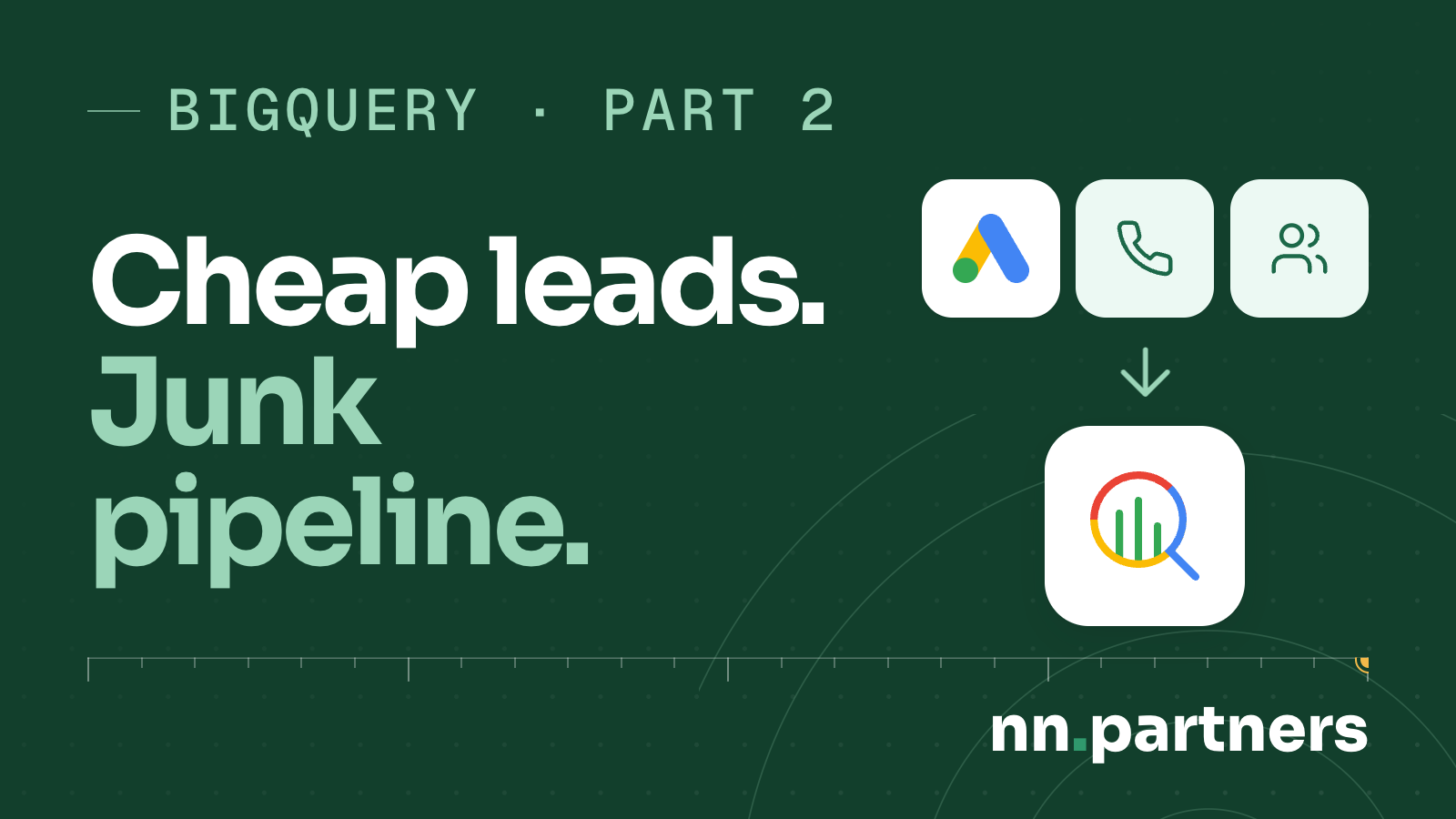
Your cost per lead looks fine, but sales says half the leads are junk, and nobody can show you which campaigns bring deals that close. This is the walkthrough for tracking closed deals in Google Ads. It’s part 2 of a series; part 1 covers what BigQuery is.

 Plays from YouTube, which may set cookies.
Why is cost per lead the wrong number to optimize?
Bidding learns from the conversions you send it, and a lead is not a sale. Verti, a lead-gen insurer, wrote that its “Target CPA algorithms can only guarantee a control over the cost per lead”. So it fed a predicted-sale signal into bidding, and published 20% sales growth at 15% lower CPA.
That’s Verti’s own result, from a 2018 Google case study written with Making Science. The tools were older (Analytics 360 data in BigQuery, bidding in Search Ads 360), but the parts are the ones this guide builds: data in BigQuery, a model that predicts the sale just after the lead, offline conversions fed back into bidding.
Here is what we see on lead-gen accounts. The ads generate leads. A share of them turn into sales-qualified appointments, and some of those turn into closed deals. Count every lead and the close rate looks low. Count only the qualified appointments and it is much higher.

Where does the trail break between the click and the closed deal?
At the handoffs. A phone sale with no tracked number, a consent opt-out, a cross-device journey or a CRM that never stored the click ID each cuts the link between the ad and the deal. Google’s import needs the GCLID back with the conversion details, so a lost ID with no email is a sale Google never sees.
In 9 years I’ve never met one client whose tracking was perfect. Not one.
These are the 5 breaks we check first:
- Calls with no tracked number, so the phone sale can’t be tied to a click.
- Consent opt-outs, where the visitor declined tracking.
- Cross-device journeys: the click on a phone, the form on a laptop.
- A CRM that never stores the click ID, so the deal has nothing to match on.
- An upload view built on external tables, which the Data Manager won’t accept.

If you spend $30K or more a month on ads and can’t see cost per sale by campaign, request a Data Audit. In 48 hours we trace where the click gets lost before the deal, then walk you through it on a 20-minute call. Our page on call and offline conversion tracking shows how we fix the tracking side.
How does a click become a closed deal in your data?
In 5 steps. The ad click carries a GCLID. A call or form creates a lead. The CRM stores the lead with the GCLID and the source. The deal closes with a value and a date. BigQuery joins that row to ad spend, which Google Ads sends by daily transfer and, by default, refreshes for the last 7 days.
You can set the refresh window up to 30 days, so late changes still land. Google lists the Google Ads transfer at no charge; once the data is in, “standard BigQuery storage and query pricing applies“.
When we build the tracking logic, the connector is the bridge. It connects your CRM, the database, your internal reports, outside data we assemble, and the ad channels with their own data parameters. It gives us the data and insights we rely on, on demand.
| Step | Data | Where it lives | How it reaches BigQuery |
|---|---|---|---|
| Ad click and cost | Spend, clicks, GCLID | Google Ads | Google Ads transfer, daily, 7-day default refresh window (up to 30) |
| Site visit | Events and sessions | GA4 | GA4 BigQuery export, daily: raw, unsampled events |
| Call | Caller, source, outcome | Call tracking tool | The tool’s own export, or through the CRM |
| Lead and closed deal | Contact, GCLID, deal value and date | CRM | Salesforce: native transfer. HubSpot: transfer in Preview. Or a vendor connector. |
We build this as a marketing data warehouse in your own BigQuery.
What is a GCLID, and why does your CRM need it?
The GCLID is the click ID Google Ads gives each ad click: “unique IDs, called Google Click ID (GCLID)”. Google’s rule for offline import is that “you give that GCLID back to Google Ads along with a few details about the type of conversion it was and when it happened.” No GCLID on the lead, nothing to match the deal to.
Google’s help page on offline conversion import says “you’ll save these IDs along with whatever lead information you collect from the person who clicked your ad.” So the form has to catch it, and the CRM needs a field that keeps it.
For calls the chain is call tracking to CRM to Google Ads. A tracked number carries the click into the CRM, or the phone sale has no GCLID to send back.
How do I calculate cost per sale and true ROAS?
Divide ad spend by closed deals, per campaign: that’s cost per sale. True ROAS is closed revenue divided by ad spend. Cost per lead and cost per qualified lead sit upstream. They tell you whether the form is cheap and whether the lead is real, and neither tells you whether the ad makes money.
| Number | Formula | The question it answers |
|---|---|---|
| Cost per lead | Ad spend ÷ leads | Is the form cheap? |
| Cost per qualified lead | Ad spend ÷ leads sales accepted | Is the lead real? |
| Cost per sale | Ad spend ÷ closed deals, by campaign | Is the ad making money? |
| True ROAS | Closed revenue ÷ ad spend | What did each dollar return? |
We can build it as one dashboard where you pick and choose filters, or as separate pages, say one per platform. Tell us what you want on the overview tab, or show us an example you like and we can replicate it, and we recommend what else to add. Reporting depends on your internal KPIs and how your people read them, so it’s a custom thing, built to your specification.
Owners can read it in Data Studio (formerly Looker Studio), which connects to BigQuery, or in Google Sheets through Connected Sheets, where pivots and charts use the full data.
How do I add lifetime value to the picture?
Join repeat purchases or renewals per customer back to the first click. Then a campaign gets credit for what a customer is worth over time, beyond the first deal. If you add a predictive model, watch the training bill: BigQuery ML model creation lists at $312.50 per TiB on demand, 50 times the query rate.
Querying lists at $6.25 per TiB, and the first 1 TiB of queries each month costs nothing. Small modeled tables keep a model cheap; training on years of raw events does not. List prices, last checked: 19 Oct 2026; check Google’s pricing page.
2 companies describe predictive scoring in BigQuery on Google pages. Mercari US says it connected “predictive models built in Google Cloud directly to marketing channels, such as churn predictions and item recommendations for email campaigns, and LTV predictions to optimize paid media” (Google Cloud blog, 2023). That page gives no result numbers.
NTUC Income, a Singapore insurer, joined CRM, email and web data in BigQuery and scored people on their likelihood to buy. In its own words: “We achieved a 40% reduction in customer acquisition cost and an increase in click-through rate by 92%” (NTUC Income’s Google Cloud customer page). That is NTUC Income’s own published result.
How do I send closed deals back to Google Ads?
Save the GCLID or the lead’s email with every lead in your CRM. Record the deal value and date when it closes. Put those rows in a BigQuery table or view, connect it to Google Ads through the Data Manager, and import them as offline conversions or enhanced conversions for leads. That’s how you send CRM data to Google Ads:
- Confirm the source. The Data Manager lists BigQuery among its supported data sources.
- Check access. You need “GCP owner access on the BigQuery dataset that contains your BigQuery table”, plus Google Ads admin access for the first connection.
- Pick the upload type: offline conversion import or enhanced conversions for leads (next section).
- Reuse the connection. Google’s example: “you might upload data from BigQuery for Enhanced Conversions for Leads, then reuse the same connection to bring data into Customer Match.”
- For new API builds, use the Data Manager API. Google’s offline upload page says UploadClickConversions requests “will fail if the developer token hasn’t previously sent requests to upload offline conversions or enhanced conversions for leads”, and to “use the Data Manager API instead.” The API sends audience and conversion data to Google advertising products in a single call.
For one lead-gen client, we send back only pre-screened, high-lifetime-value leads as conversions, with a predictive layer on top. Bidding learns from those leads only. Part 4 covers what the build costs.
Google Ads offline conversion tracking: import or enhanced conversions for leads?
Offline conversion import matches on the GCLID. Enhanced conversions for leads is, in Google’s words, “an upgraded version of offline conversion import that uses user-provided data, such as email addresses.” Which one fits depends on what your CRM stored when the lead came in: the click ID, the email, or both.
| Offline conversion import | Enhanced conversions for leads | |
|---|---|---|
| Matches on | GCLID | User-provided data, such as email |
| From BigQuery via | Data Manager | Data Manager; the same connection can later feed Customer Match |
| Access needed | GCP owner on the dataset, Google Ads admin for the first connection | Same |
| New API builds | Data Manager API | Data Manager API |

Which technical limits break this setup?
4 traps, each traced to Google’s own docs. Upload views must be fully authorized and can’t sit on external tables. The GA4 streaming export can have gaps, and standard properties cap the daily export at 1 million events. Microsoft Ads has no native BigQuery transfer. And the HubSpot transfer is still in Preview.
- Upload views. Google: “BigQuery views must be fully authorized and the source of the view cannot include external tables.”
- GA4. The streaming export is a same-day feed with no completeness guarantee, so build money reports on the daily export. Standard properties have a daily export limit of 1 million events.
- Microsoft Ads. The transfer list we read on 19 Oct 2026 has no Microsoft Ads connector, so that data needs a third-party tool. Check the live connector list before you plan around it.
- CRM transfers. Salesforce loads Full or Incremental. The HubSpot transfer is in Preview, and Google says Preview features are available “as is” and “might have limited support”.
Does it pay off? Hoff, a furniture retailer, put online, call-center and store sales in BigQuery, in work that began in 2016, and says: “By putting its high-powered analysis into practice, Hoff increased its online advertising ROI by 17%” (Hoff’s Google Cloud customer page). That’s Hoff’s own published result.
Next: who did this, and what changed, by industry, in part 3.
If you can’t see cost per sale by campaign, ask for a Data Audit, or book 45 minutes with us directly.
Common questions about sending closed deals to Google Ads
Do I need BigQuery to import offline conversions?
No. Google’s Data Manager list of data sources also names Google Sheets, HubSpot, Salesforce and SFTP. BigQuery earns its place when the same table drives cost per sale reports, lifetime value and the upload, with one connection feeding enhanced conversions for leads and then Customer Match.
What if most of my sales happen on the phone?
Then the call has to carry the click into the CRM through a tracked number, or the sale can’t be tied back to the ad. It’s one of the first breaks we check.
Will Google Ads data in BigQuery match the Google Ads interface?
Close, with lag. The transfer runs daily and refreshes the last 7 days by default, up to 30. Expect small differences on recent days while conversions settle.
Can I connect my CRM to Google Ads from HubSpot or Salesforce?
Yes, through BigQuery. Salesforce has a native transfer that loads Full or Incremental. The HubSpot transfer is in Preview, so plan a vendor connector for production HubSpot until it is generally available.
What does Google need from me to set up the Data Manager connection?
Owner access on the Google Cloud dataset, and admin access on the Google Ads account for the first connection. Views you use as sources must be fully authorized and can’t sit on external tables.
By Nik Vdovenko, founder of nn.partners (Google and Meta Partner, top 1% of PPC agencies on Upwork, 9 years, $10M+ ad spend managed), and the nn.partners team.
Researched by the nn.partners team from Google’s own documentation and the named case studies. Every number links to its source. Prices checked 19 Oct 2026.
Sources
- About offline conversion imports (Google Ads Help)
- Data Manager supported data sources
- Enhanced conversions for leads and Customer Match (Google Ads Help)
- BigQuery in Google Ads Data Manager (Help)
- Upload offline conversions (Google Ads API)
- Data Manager API
- BigQuery Data Transfer Service
- Google Ads transfer for BigQuery
- Salesforce transfer and HubSpot transfer
- GA4 BigQuery export (Analytics Help)
- BigQuery pricing and Google Cloud free features
- Data Studio with BigQuery and Connected Sheets
- Verti case study (Google with Making Science, 2018)
- NTUC Income, Hoff and Mercari US on Google Cloud