7 Reasons to Switch to Server-Side Tracking in 2026

You have the server side tag and then you have the web tag, they work a little bit differently. And I want to make sure that this number is accurate.
Moving your tags from the browser to a server you control gives you more accurate data and a cleaner privacy story, all at once.
1. A server-side setup is the one place you go to check when two numbers on the same metric disagree.

I think we all want to see unique users. So that’s what we need. Because sessions isn’t the ideal parameter: one user can have multiple sessions. There is definitely more than one way to look at this, because this search console tells a certain story. I will talk with our data analyst, so that she can help me reconcile this a little bit more.
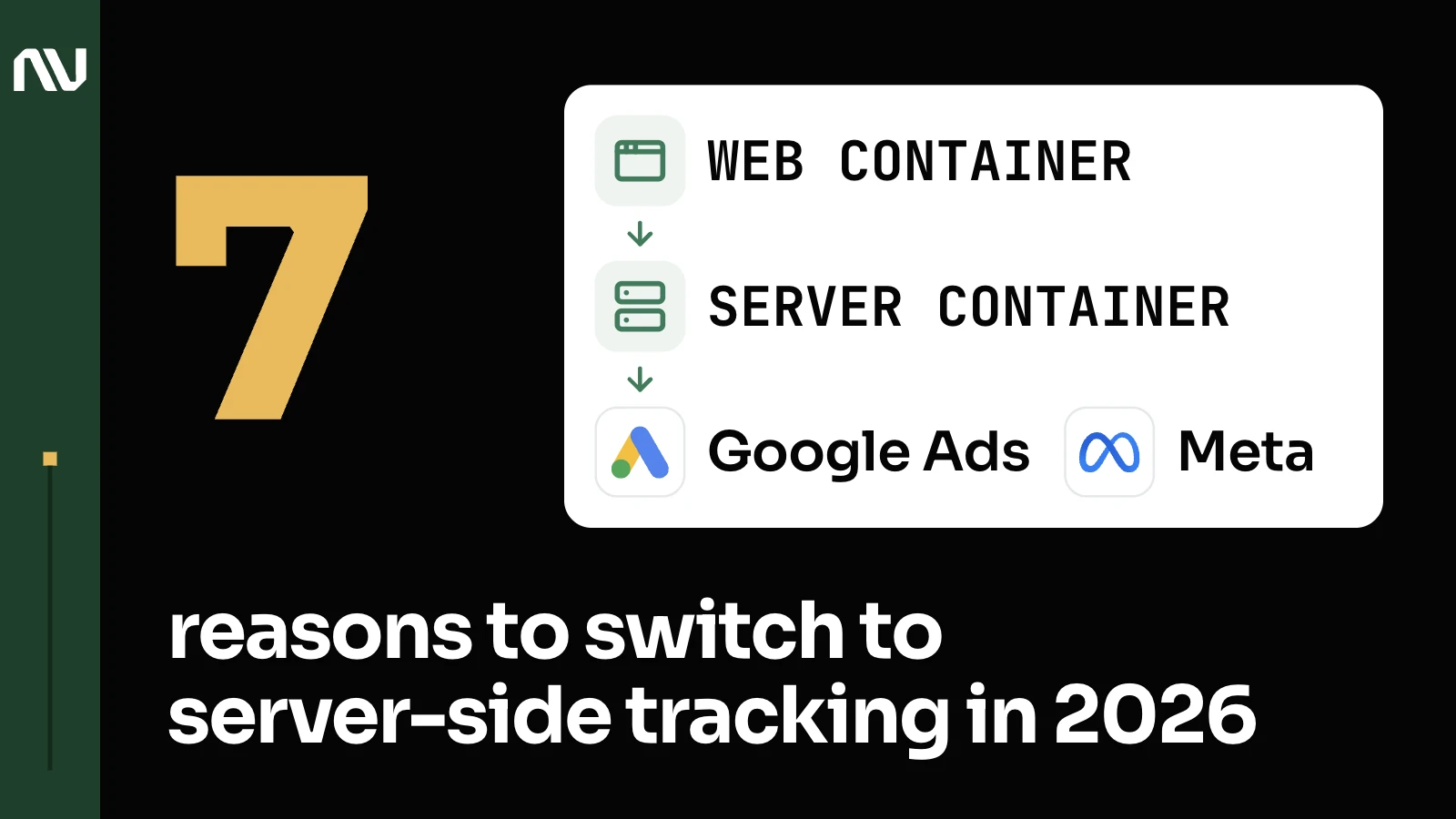
Google’s own architecture explains the setup: “server-side tagging uses two containers: Web container that resides on the website or app; Server container that resides in a cloud environment”. It’s also where the attribution challenges a two-container system creates tend to surface first.
2. Consent mode is a real business decision, and a server-side setup is what actually enforces it.

One final thing with the consent mode, just so you understand. With consent, a lot of people default to let’s do it properly, let’s do it right. And while it’s a good intention, it damages the business greatly, especially if you follow the European way of doing it. Until the person clicks, for example, accept, all of the tags are paused. Let’s say the call rail or any other tags. And while it’s technically making you compliant, the business only suffers from it. In the US the rules are not as strict. The solution we suggested was granted by default. Meaning if people don’t do anything, or don’t click reject, we track that.
Google’s own docs describe the same control point: a server container lets you “validate, parse, anonymize, or even block HTTP requests to ensure privacy by acknowledging cookie consent”. Chrome still supports third-party cookies (Google backed off deprecating them in 2025); consent is the actual lever here.
3. One Google Ads conversion already needs 3 separate signals, not one.

If you want to track Google Ads as a standalone piece, you will probably want to set up web conversions. You will probably need to implement server side conversions and maybe you would want to also pass the offline conversions for the same event. Especially if you are just getting started, you don’t know what will work better.
Server-side tagging is what makes that layering possible in the first place: moving “measurement tag instrumentation from your website or app to a server-side processing container.” That redundancy is the whole point.
4. And that’s just Google: every platform you advertise on works the same way.

For Facebook, Facebook has also quite a complicated approach to their tracking. You have this conversion API and many other things for the same events.
Meta runs the identical idea through its own Conversions API, stacked on top of the pixel.
5. Clean, matchable data is what actually makes Google’s bidding work harder for you.

As I mentioned, we will be requesting additional parameters that will help the platforms. We need emails and phone numbers. Google needs them to match offline conversions better, and this will improve the efficiency of the bidding strategy.
It’s the same matching logic behind Google’s Enhanced Conversions switch.
6. Owning the server container means you’re the one who notices when something breaks.

Then a small thing that I wanted to update you on is the server side tagging. If you remember, we had this thing: there was an issue that we spotted. The server side tagging had a notification that the server was down at some point. And when we noticed that, we decided to create a script that logs server status every four hours. It was okay since then, since we created the script.
That’s the same signal-quality discipline behind why call tracking works in the first place.
7. Get the data foundation right once, and every decision after it moves faster.

One of the reasons why we were able to move fast and react with laser precision is because of this foundation. Back in the days, you had the CRM store some of the records for the platform performance, and then we got funnel, and then we got the BigQuery that accumulated all of this information and enabled us the insights and quick and very accurate decisions since then.
We’ve watched this same stack turn into a proper data warehouse; the mechanics of doing it with BigQuery specifically are their own topic.
Get the foundation right, then decide what’s next

So it’s the foundation of the data processes that we have and enjoy since it was installed.
See how we build that setup end to end, or get in touch to scope your own account.